
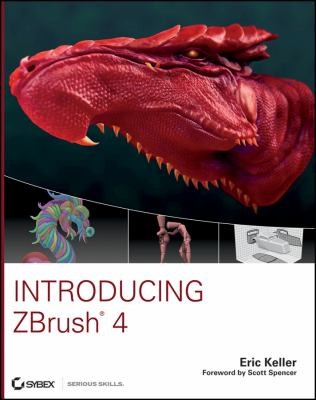
Introducing ZBrush 4
Keller, Eric, 1969 · Indianapolis, Indiana : Wiley Pub, 2011
- Nhà xuất bản
- Indianapolis, Indiana : Wiley Pub, 2011
- Mô tả vật lý
- 489 trang
- ISBN
- 0470527641 (pbk.);9780470527641 (pbk.)
- Phân loại Dewey
- 006.6/93
- Ngôn ngữ
- Tiếng Anh
Tóm tắt nội dung
"Introducing ZBrush 4 launches readers head-on into fulfilling their artistic potential for sculpting realistic creature, cartoon, and hard surface models in ZBrush. ZBrush's innovative technology and interface can be intimidating to both digital-art beginners as well as veterans who are used to a more conventional modeling environment. This book dispels myths about the difficulty of ZBrush with a thorough tour and exploration of the program's interface. Engaging projects also allow the reader to become comfortable with digital sculpting in with a relaxed and fun book atmosphere. Introducing ZBrush 4assuages the apprehension and gets artists quickly involved in creating their own work, as they complete tutorials on digital sculpting, painting, detailing, textures, lighting, rendering, and working with other 3D applications"--Provided by publisher
Create animated turntables within ZBrush to show off your work --Book Jacket
Design remarkably realistic creatures, people, and objects using ZBrush and the new edition of this top-selling book. ZBrush might seem intimidating at first, but professional Hollywood animator and ZBrush artist Eric Keller combines his firsthand experience with detailed, step-by-step explanations to make you feel right at home with the interface and tools
Explore exciting new tools for creating hard surface objects
Learn how to set lighting, create materials, and render in ZBrush
Master ZSpheres for armature and ZSketching for creating meshes
Take a tour of ZBrush 4's innovative interface and powerful toolkit
The book reinforces the core concepts of ZBrush through fun, hands-on tutorials that will help you achieve amazing results. Whether you're a digital-art novice or a professional designer seeking to add ZBrush 4 to your toolkit, Introducing ZBrush 4 is the book to get you there
Understand ZBrush's unique sculpting and painting technology
Work with digital clay and effectively use the full array of sculpting brushes
Bản điện tử
Thông tin biên mục
| Thông tin | Chi tiết |
|---|---|
| 001Số kiểm soát | 25376 |
| 003Mã cơ quan gán số kiểm soát | NhCcYBP |
| 005Ngày và thời gian giao dịch lần cuối với biểu ghi | 26/12/2013 · 10:02 |
| 007Trường mô tả vật lý có độ dài cố định | co||g| |
| 008Các yếu tố dữ liệu có độ dài cố định | 101210s2011 inuaf 001 0 eng |
| 010Số kiểm soát của thư viện quốc hội hoa kỳ | 2010052271 |
| 020Số sách chuẩn quốc tế ISBN |
|
| 040Cơ quan tạo biểu ghi biên mục gốc |
|
| 041Mã ngôn ngữ | eng |
| 042Mã xác thực | pcc |
| 050Ký hiệu xếp giá theo phân loại thư viện quốc hội hoa kỳ | T385 .K397828 2011 |
| 082Ký hiệu xếp giá theo phân loại thập phân dewey | 006.6/93 22 |
| 100Tiêu đề chính - Tên cá nhân | Keller, Eric, 1969- |
| 245Nhan đề chính | Introducing ZBrush 4 / Eric Keller. |
| 260Địa chỉ xuất bản, phát hành... (in ấn) | Indianapolis, Indiana : Wiley Pub., 2011 |
| 300Mô tả vật lý | xxi, 489 p., [8] p. of plates : ill. (some col.) ; 24 cm. + 1 CD-ROM (4 3/4 in.) |
| 500Phụ chú chung | Includes index. |
| 520Tóm tắt/chú giải |
|
| 630Tiêu đề bổ sung chủ đề - Nhan đề đồng nhất | ZBrush. |
| 650Tiêu đề bổ sung chủ đề - thuật ngữ chủ đề |
|
| 999Bộ sưu tập | Tài liệu Download |
=001 25376=003 NhCcYBP=005 20131226100257.2=007 co||g|=008 101210s2011 inuaf 001 0 eng=010 \\$a2010052271=020 \\$a0470527641 (pbk.)=020 \\$a9780470527641 (pbk.)=040 \\$aDLC $erda $beng $cDLC $dNhCcYBP=040 \\$aDLC $erda $beng $cDLC $dNhCcYBP $dNhCcYME=041 ##$aeng=042 \\$apcc=050 00$aT385 $b.K397828 2011=082 00$a006.6/93 $222=092 \\$a006.693 $bK291 i61=100 1\$aKeller, Eric, $d1969-=245 10$aIntroducing ZBrush 4 / $cEric Keller.=260 \\$aIndianapolis, Indiana : $bWiley Pub., $c2011=300 \\$axxi, 489 p., [8] p. of plates : $bill. (some col.) ; $c24 cm. + $e1 CD-ROM (4 3/4 in.)=500 \\$aIncludes index.=520 \\$a"Introducing ZBrush 4 launches readers head-on into fulfilling their artistic potential for sculpting realistic creature, cartoon, and hard surface models in ZBrush. ZBrush's innovative technology and interface can be intimidating to both digital-art beginners as well as veterans who are used to a more conventional modeling environment. This book dispels myths about the difficulty of ZBrush with a thorough tour and exploration of the program's interface. Engaging projects also allow the reader to become comfortable with digital sculpting in with a relaxed and fun book atmosphere. Introducing ZBrush 4assuages the apprehension and gets artists quickly involved in creating their own work, as they complete tutorials on digital sculpting, painting, detailing, textures, lighting, rendering, and working with other 3D applications"--Provided by publisher.=520 \\$aCreate animated turntables within ZBrush to show off your work --Book Jacket.=520 \\$aDesign remarkably realistic creatures, people, and objects using ZBrush and the new edition of this top-selling book. ZBrush might seem intimidating at first, but professional Hollywood animator and ZBrush artist Eric Keller combines his firsthand experience with detailed, step-by-step explanations to make you feel right at home with the interface and tools. --=520 \\$aExplore exciting new tools for creating hard surface objects --=520 \\$aLearn how to set lighting, create materials, and render in ZBrush --=520 \\$aMaster ZSpheres for armature and ZSketching for creating meshes --=520 \\$aTake a tour of ZBrush 4's innovative interface and powerful toolkit --=520 \\$aThe book reinforces the core concepts of ZBrush through fun, hands-on tutorials that will help you achieve amazing results. Whether you're a digital-art novice or a professional designer seeking to add ZBrush 4 to your toolkit, Introducing ZBrush 4 is the book to get you there. --=520 \\$aUnderstand ZBrush's unique sculpting and painting technology --=520 \\$aWork with digital clay and effectively use the full array of sculpting brushes --=630 00$aZBrush.=650 \0$aComputer art $xComputer programs.=650 \0$aComputer graphics.=970 01$lch. 1 $tDigital Art Basics $p1=970 01$lch. 10 $tMorph Targets, Layers, and the ZBrush Timeline $p433=970 01$lch. 2 $tFacing the ZBrush Interface $p19=970 01$lch. 3 $tBasic Digital Sculpting $p55=970 01$lch. 4 $tSubTools, ZSpheres, and ZSketching $p117=970 01$lch. 5 $tShadowBox and Clip Brushes $p181=970 01$lch. 6 $tRemesh and Projection $p229=970 01$lch. 7 $tAdvanced Brush Techniques $p265=970 01$lch. 8 $tPolypainting and SpotLight $p315=970 01$lch. 9 $tRendering, Lighting, and Materials $p365=970 01$tAppendix About the Companion DVD $p461=970 01$tForeword $pxv=970 01$tIndex $p465=970 01$tIntroduction $pxvii=970 11$tAlpha Textures $p279=970 11$tAn Introduction to ZBrush $p2=970 11$tAppend SubTools $p118=970 11$tBrush Customization $p266=970 11$tBrush Effects $p292=970 11$tClip Brushes $p208=970 11$tCreate Teeth $p139=970 11$tCreate the Car Body in ShadowBox $p190=970 11$tCustomer Care $p464=970 11$tDesign a Brush $p269=970 11$tDigital Clay $p56=970 11$tExport a Render $p390=970 11$tHard Surface Detail Brushes $p296=970 11$tImage Editing with SpotLight $p342=970 11$tMannequins $p244=970 11$tMasking $p90=970 11$tMatch Maker Brush $p205=970 11$tMorph Targets $p434=970 11$tOpen the Dragon's Jaw with Transpose $p108=970 11$tPolygroups $p97=970 11$tPolypaint Layers $p444=970 11$tPolypainting $p316=970 11$tPolypainting Techniques $p326=970 11$tProjection $p238=970 11$tRemesh a Surface $p230=970 11$tRemesh the Headlight and Project Details $p242=970 11$tRender Subsurface Scattering Effects $p426=970 11$tRender Using Best Mode $p387=970 11$tRender Using BPR $p375=970 11$tRendering Basics $p366=970 11$tResources $p17=970 11$tSculpt a Dragon's Head $p77=970 11$tSculpt SubTools $p125=970 11$tSculpt with Symmetry $p74=970 11$tShadowBox $p182=970 11$tSpotLight Projection $p353=970 11$tStencils $p309=970 11$tSubdivide Your Mesh $p71=970 11$tSummary $p53=970 11$tSystem Requirements $p462=970 11$tThe Fiber Material $p429=970 11$tThe Title Bar $p53=970 11$tThe ZBrush Timeline $p450=970 11$tThe Zen of ZBrush $p20=970 11$tTrays and Palettes $p38=970 11$tTroubleshooting $p463=970 11$tUnderstanding 3D Space $p12=970 11$tUnderstanding Digital Images $p3=970 11$tUnderstanding Materials $p408=970 11$tUnderstanding Resolution $p8=970 11$tUse 3D Layers $p438=970 11$tUse the Shader Mixer $p424=970 11$tUsing Standard, Smooth, and Move Brushes $p62=970 11$tUsing the DVD $p463=970 11$tUsing ZBrush Lights $p395=970 11$tWhat You'll Find on the DVD $p462=970 11$tZSketching with ZSpheres $p165=970 11$tZSpheres $p148=980 \\$aEric Keller has been a professional 3D artist and high-end animator for film, commercials, and TV for over twelve years, creating animations and effects for Disney, Warner Brothers, ESPN, Harvard Medical School, Chase Bank, Genentech, and CBS. He got his start developing animations for scientific visualization at the prestigious Howard Hughes Medical Institute, where he worked with some of the world's leading researchers. Eric teaches digital sculpting at the Gnomon School of Visual Effects in Hollywood.=LDR 06824pam a22013338a 4500