
Downloads
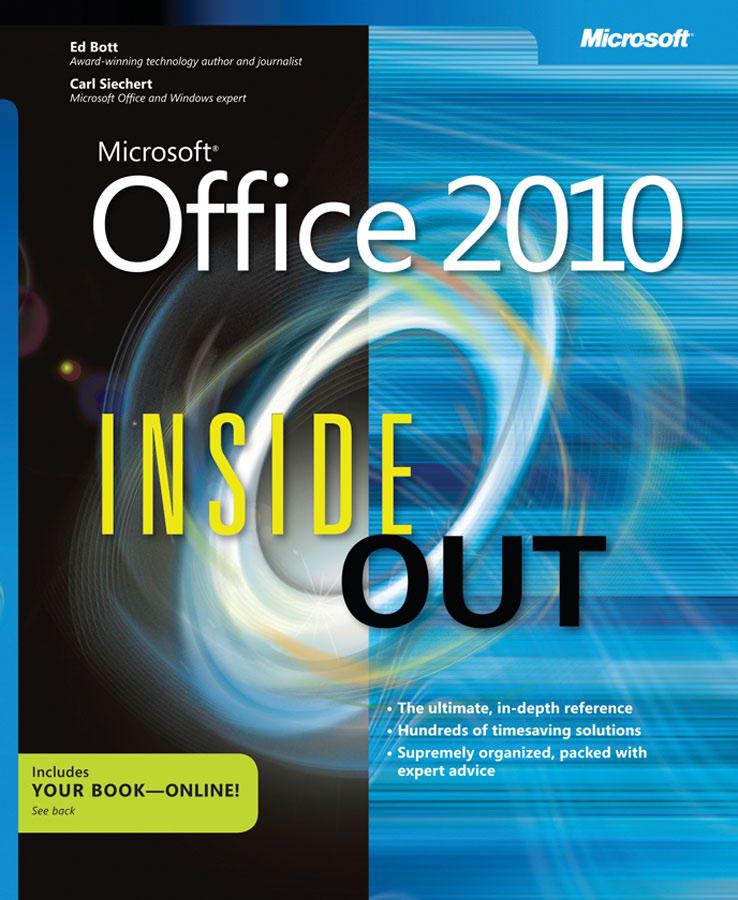
Microsoft Office 2010
Bott, Ed · Redmond, Wash : Microsoft, 2011
- Publisher
- Redmond, Wash : Microsoft, 2011
- Physical description
- 934 pages
- ISBN
- 0735626898 (pbk.);9780735626898 (pbk.)
- Dewey classification
- 005.5
- Subjects
- Business--Computer software
- Language
- English
Summary
Provides timesaving tips, tricks, shortcuts, solutions, and troubleshooting guidelines for Microsoft Excel, Outlook, Word, PowerPoint, and other applications, and explores new features and capabilities of Office 2010
Digital copy
Full textPDF · reads in your browser
Sign-in requiredRead
Catalogue record
| Field | Value |
|---|---|
| 001Control number | 24370 |
| 005Date and time of latest transaction | 3 Jan 2014, 11:33 |
| 008Fixed-length data elements | 100721s2011 waua 001 0 eng d |
| 010Library of Congress control number | 2010933006 |
| 015National bibliography number | GBB046206 bnb |
| 016National bibliographic agency control number | 015522379 Uk |
| 020International Standard Book Number (ISBN) |
|
| 035System control number | (OCoLC)ocn609544189 |
| 040Cataloging source | UKM UKM BTCTA WIQ YDXCP C#P BWX CPL IBI CBU MZ3 BKX EEK DLC |
| 041Language code | eng |
| 042Authentication code | lccopycat |
| 050Library of Congress call number | HF5548.4.M525 B677 2011 |
| 082Dewey Decimal call number | 005.5 22 |
| 100Main entry – personal name | Bott, Ed. |
| 245Title statement | Microsoft Office 2010 / Ed Bott, Carl Siechert. |
| 246Varying form of title | Microsoft Office 2010 : inside out |
| 260Publication, distribution, etc. (imprint) | Redmond, Wash. : Microsoft, 2011 |
| 300Physical description | xxiv, 934 p. : ill. ; 23 cm. |
| 490Series statement | Inside out |
| 500General note | Includes index. |
| 505Formatted contents note |
|
| 520Summary, etc. | Provides timesaving tips, tricks, shortcuts, solutions, and troubleshooting guidelines for Microsoft Excel, Outlook, Word, PowerPoint, and other applications, and explores new features and capabilities of Office 2010. |
| 630Subject added entry – uniform title |
|
| 650Subject added entry – topical term | Business--Computer software. |
| 700Added entry – personal name | Siechert, Carl. |
| 830Series added entry – uniform title | Inside out (Redmond, Wash.) |
| 999Collection | Downloads |
=001 24370=005 20140103113338.1=008 100721s2011 waua 001 0 eng d=010 \\$a2010933006=015 \\$aGBB046206 $2bnb=016 7\$a015522379 $2Uk=020 \\$a0735626898 (pbk.)=020 \\$a9780735626898 (pbk.)=035 \\$a(OCoLC)ocn609544189=040 \\$aUKM $cUKM $dBTCTA $dWIQ $dYDXCP $dC#P $dBWX $dCPL $dIBI $dCBU $dMZ3 $dBKX $dEEK $dDLC=041 ##$aeng=042 \\$alccopycat=050 00$aHF5548.4.M525 $bB677 2011=082 04$a005.5 $222=100 1\$aBott, Ed.=245 10$aMicrosoft Office 2010 / $cEd Bott, Carl Siechert.=246 3\$aMicrosoft Office 2010 : $binside out=260 \\$aRedmond, Wash. : $bMicrosoft, $c2011=300 \\$axxiv, 934 p. : $bill. ; $c23 cm.=490 1\$aInside out=500 \\$aIncludes index.=505 2\$apt. 1. Office fundamentals. 1. Inside Office 2010 : What's new? What's changed? ; A field guide to Office 2010 editions ; Word 2010 ; Excel 2010 ; OneNote 2010 ; PowerPoint 2010 ; Outlook 2010 ; Sharing and collaborating on Office files -- 2. Installing and updating Microsoft Office 2010 : Choosing an Office edition ; Setting up Office ; Customizing your Office installation ; Validating and activating your copy of Office ; Keeping Office up to date ; Saving and restoring settings and data -- 3. Using and customizing the Office interface : Managing programs and documents in Office Backstage view ; Using and customizing the ribbon ; Customizing the Quick Access Toolbar ; Saving and reusing custom ribbon and toolbar settings ; Using and customizing the status bar ; Adjusting program options ; Finding help and support options ; Using keyboard shortcuts ; Arranging and switching between document windows -- 4. Managing Office files : Which file formats does Office 2010 support? ; Opening and saving documents ; Sharing your work in PDF and other formats ; Using templates to streamline document creation ; Organizing Office documents using file properties and details ; Finding Office files ; Backup and recovery options -- 5. Entering, editing, and formatting text : Entering and selecting text ; Expert text editing techniques ; Applying text formatting ; Using the Clipboard with Office programs ; Finding and replacing text and formatting ; Checking spelling ; Using the thesaurus and other references ; Setting language and regional options ; Translating text to another language -- 6. Working with graphics and pictures : Working with drawing layers in Office documents ; Inserting pictures into Office documents ; Making your pictures look great ; Finding and using Clip Art ; Capturing and inserting screenshots ; Adding shapes and text boxes ; Displaying data graphically with charts ; Adding SmartArt to documents ; Applying text effects with WordArt ; Drawing with ink ; Using Office themes --=505 2\$apt. 2. Word. 7. Inside Word 2010 : What's in a Word document? ; Working in an appropriate document view ; Creating and editing documents ; Navigating in Word documents ; Searching within a document ; Making your documents look good ; Giving your documents a consistent appearance ; Adding pictures and graphics ; Working with bulleted and numbered lists ; Checking grammar and spelling -- 8. Working with complex documents : Using outlines to plan, organize, and edit documents ; Formatting columns and sections ; Working with tables ; Inserting references to other parts of a document ; Creating tables of contents and indexes -- 9. Reviewing and sharing documents : Using review comments in a document ; Tracking and highlighting changes made to a document ; Working together with other authors ; Preparing a document for distribution ; Saving a document in a shared location ; Creating and working with forms -- 10. Word 2010 inside out : Applying advanced text-formatting capabilities ; Using Word to create and edit blog posts ; Combining documents and data with Mail Merge ; Printing a document ; Using Building Blocks ; Using fields to automate documents ; Our favorite Word tweaks and tips --=505 2\$apt. 3. Excel. 11. Inside Excel 2010 : What's in an Excel workbook? ; Navigating in worksheets and workbooks ; Entering and filling in data and series ; Using formulas and functions ; Formatting cells and ranges -- 12. Managing lists and data : Sorting out your data management options ; Formatting and using tables ; Sorting, filtering, and outlining data ; Using PivotTables ; Importing, exporting, and connecting to data sources -- 13. Charts and data analysis : Using charts to visualize data ; Turning data into a chart ; Choosing the right chart type ; Linking worksheet data to chart elements ; Advanced chart formatting options ; Highlighting trends and variations in data -- 14. Excel 2010 inside out : Customizing the worksheet view ; Advanced worksheet formatting ; Finding, editing, moving, and copying data ; Printing a worksheet ; Using Data Validation to control data entry ; Our favorite Excel tweaks and tips --=505 2\$apt. 4. OneNote. 15. Inside OneNote 2010 : What's in a OneNote notebook? ; Filling a notebook with text, pictures, clippings, and more ; Formatting text ; Navigating in OneNote ; Customizing the look and feel of a notebook page ; Personalizing the OneNote interface -- 16. Tagging, organizing, and finding information : Using tags to highlight important notes ; Using links for quick connections ; Smart search strategies ; Expert organizational techniques ; Backing up and recovering notebooks -- 17. OneNote 2010 inside out : Using OneNote with Outlook ; Linking notes to documents and web pages ; Sharing and synchronizing notebooks ; Printing, publishing, and sharing notes ; Recording audio and video ; Our favorite OneNote tweaks and tips --=505 2\$apt. 5. PowerPoint. 18. Inside PowerPoint 2010 : What's in a PowerPoint presentation? ; Building a presentation from scratch ; Adding graphics and video clips ; Customizing your presentation's design -- 19. Polishing and delivering a presentation : Adding emphasis with animations ; Using transitions between slides ; Planning and rehearsing a presentation ; Delivering a live presentation ; Creating notes and handouts -- 20. PowerPoint 2010 inside out : Broadcasting a presentation ; Saving and reusing slides and themes ; Creating custom slide shows ; Working collaboratively on a presentation ; Laying the groundwork for an expert presentation ; Creating a photo album with Powerpoint ; Turning your presentation into a video ; Our favorite PowerPoint tweaks and tips --=505 2\$apt. 6. Outlook. 21. Inside Outlook 2010 : What's in an Outlook profile? ; Personalizing the Outlook interface ; Setting up mail accounts ; Organizing your contacts ; Managing your calendar ; Creating, sending, and receiving messages -- 22. Organizing Outlook information : Managing Outlook data files and folders ; Mastering Outlook search ; Selecting and customizing views in Outlook ; Organizing e-mail messages ; Using address books and directory services -- 23. Outlook 2010 inside out : Setting follow-up flags and reminders ; Sharing and comparing calendars ; Receiving and synchronizing data ; Importing and exporting Outlook data ; Archiving Outlook data ; Reading RSS feeds in Outlook ; Using Outlook Social Connector and the People pane ; Our favorite Outlook tweaks and tips --=505 2\$apt. 7. Sharing and collaborating. 24. Security, sharing, and collaboration : How Office 2010 protects you ; Working together with Office 2010 ; Simultaneous editing with multiple authors -- 25. Using Office in a web browser : What can you do with Office on the web? ; Storing and using Office documents on Windows Live SkyDrive ; What you can and can't do with Office web apps -- 26. Working with SharePoint 2010 : What's in a SharePoint site or workspace? ; How SharePoint and Office work together ; Customizing a SharePoint site ; Connecting lists, calendars, and discussions to Outlook ; Using notifications and feeds to track SharePoint Activity.=520 \\$aProvides timesaving tips, tricks, shortcuts, solutions, and troubleshooting guidelines for Microsoft Excel, Outlook, Word, PowerPoint, and other applications, and explores new features and capabilities of Office 2010.=630 00$aMicrosoft Excel (Computer file)=630 00$aMicrosoft Office.=630 00$aMicrosoft OneNote.=630 00$aMicrosoft Outlook.=630 00$aMicrosoft PowerPoint (Computer file)=630 00$aMicrosoft SharePoint (Electronic resource)=630 00$aMicrosoft Word.=630 07$aMicrosoft Office (Computer software)=650 \7$aBusiness $xComputer software.=700 1\$aSiechert, Carl.=830 \0$aInside out (Redmond, Wash.)=LDR 08874cam a2200541 a 4500