
Downloads
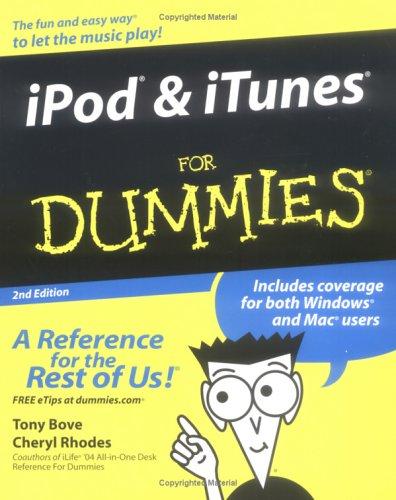
IPod & iTunes for dummies
Bove, Tony, 1955 · Hoboken, N.J : Wiley Pub, 2005
- Publisher
- Hoboken, N.J : Wiley Pub, 2005
- Physical description
- 368 pages
- ISBN
- 0764577727 (pbk.)
- Dewey classification
- 006.5
- Subjects
- iPod (Digital music player)
- Language
- English
Summary
"Music is the language of love, and now both Mac and Windows lovers can jam with iPod. This handy guide shows you how to set up your iPod, load songs (legally), edit playlists, find your way around the iTunes music store, and most importantly, play your music. You'll even find out how your iPod can keep notes, contacts, and appointments like a PDA."--BOOK JACKET
Digital copy
Full textPDF · reads in your browser
Sign-in requiredRead
Catalogue record
| Field | Value |
|---|---|
| 001Control number | 15266 |
| 003Control number identifier | OCoLC |
| 005Date and time of latest transaction | 16 Feb 2011, 16:12 |
| 008Fixed-length data elements | 051202s2005 njua 001 0 eng |
| 015National bibliography number | GBA456707 bnb |
| 020International Standard Book Number (ISBN) | 0764577727 (pbk.) |
| 040Cataloging source |
|
| 041Language code | eng |
| 050Library of Congress call number | ML74.4.I49 B69 2005 |
| 082Dewey Decimal call number | 006.5 Ipo-D |
| 100Main entry – personal name | Bove, Tony, 1955- |
| 245Title statement | IPod & iTunes for dummies / by Tony Bove and Cheryl Rhodes. |
| 246Varying form of title | IPod and iTunes for dummies. |
| 250Edition statement | 2nd ed. |
| 260Publication, distribution, etc. (imprint) | Hoboken, N.J. : Wiley Pub., 2005 |
| 300Physical description | xvi, 368 p. : ill. ; 24 cm. |
| 490Series statement | --For dummies. |
| 500General note | Includes index. |
| 520Summary, etc. | "Music is the language of love, and now both Mac and Windows lovers can jam with iPod. This handy guide shows you how to set up your iPod, load songs (legally), edit playlists, find your way around the iTunes music store, and most importantly, play your music. You'll even find out how your iPod can keep notes, contacts, and appointments like a PDA."--BOOK JACKET. |
| 630Subject added entry – uniform title | ITunes. |
| 650Subject added entry – topical term | iPod (Digital music player) |
| 700Added entry – personal name | Rhodes, Cheryl. |
| 999Collection | Downloads |
=001 15266=003 OCoLC=005 20110216161257.2=008 051202s2005 njua 001 0 eng=015 ##$aGBA456707 $2bnb=020 ##$a0764577727 (pbk.)=040 ##$aORK $cORK $dVP@ $dIAI $dOCLCQ $dUKM $dOCL $dHUA=040 ##$aORK $cORK $dVP@ $dIAI $dOCLCQ $dUKM $dOCL $dHUA $dOrLoB-B=041 ##$aeng=050 #4$aML74.4.I49 $bB69 2005=082 ##$a006.5 $bIpo-D=092 ##$a006.5 $bB78 i=100 1#$aBove, Tony, $d1955-=245 10$aIPod & iTunes for dummies / $cby Tony Bove and Cheryl Rhodes.=246 3#$aIPod and iTunes for dummies.=250 ##$a2nd ed.=260 ##$aHoboken, N.J. : $bWiley Pub., $c2005=300 ##$axvi, 368 p. : $bill. ; $c24 cm.=490 0#$a--For dummies.=500 ##$aIncludes index.=520 1#$a"Music is the language of love, and now both Mac and Windows lovers can jam with iPod. This handy guide shows you how to set up your iPod, load songs (legally), edit playlists, find your way around the iTunes music store, and most importantly, play your music. You'll even find out how your iPod can keep notes, contacts, and appointments like a PDA."--BOOK JACKET.=630 00$aITunes.=650 #0$aiPod (Digital music player)=700 1#$aRhodes, Cheryl.=970 11$lCh. 1 $tGetting started with your iPod $p9=970 11$lCh. 10 $tOrganizing music with playlists $p121=970 11$lCh. 11 $tUpdating your iPod with iTunes $p129=970 11$lCh. 12 $tManaging the MusicMatch Jukebox library $p143=970 11$lCh. 13 $tGimme shelter for my music $p157=970 11$lCh. 14 $tBurning CDs from iTunes $p165=970 11$lCh. 15 $tPlaying your iPod $p179=970 11$lCh. 16 $tGetting wired for sound $p187=970 11$lCh. 17 $tListening while on the move $p195=970 11$lCh. 18 $tSpinning tunes like a DJ $p205=970 11$lCh. 19 $tChoosing your encoding format $p219=970 11$lCh. 2 $tSetting up iTunes and your iPod $p31=970 11$lCh. 20 $tChanging encoders and encoder settings $p229=970 11$lCh. 21 $tFine-tuning the sound $p243=970 11$lCh. 22 $tRecording and editing sound $p255=970 11$lCh. 23 $tEnhancing your music library $p265=970 11$lCh. 24 $tSleeping with your iPod $p275=970 11$lCh. 25 $tUsing the iPod as a hard drive $p287=970 11$lCh. 26 $tEntering personal information $p301=970 11$lCh. 27 $tSynchronizing information with your iPod $p313=970 11$lCh. 28 $tUpdating and troubleshooting $p321=970 11$lCh. 29 $tTen problems and solutions for your iPod $p337=970 11$lCh. 3 $tGetting started with iTunes $p45=970 11$lCh. 30 $tEleven tips for the equalizer $p343=970 11$lCh. 31 $tTwelve Web sources for more iPod information $p347=970 11$lCh. 4 $tBuying music from the iTunes music store $p53=970 11$lCh. 5 $tImporting music into iTunes $p71=970 11$lCh. 6 $tSharing music (legally) $p79=970 11$lCh. 7 $tUsing MusicMatch Jukebox $p89=970 11$lCh. 8 $tSearching, browsing, and sorting in iTunes $p101=970 11$lCh. 9 $tAdding and editing song information in iTunes $p109=970 11$lPt. I $tSetting up and acquiring music $p7=970 11$lPt. II $tManaging your music $p99=970 11$lPt. III $tPlaying tunes $p177=970 11$lPt. IV $tUsing advanced techniques $p217=970 11$lPt. V $tHave iPod, will travel $p273=970 11$lPt. VI $tThe part of tens $p335=993 01$emn=LDR 03641cam a2200805Ia 45 0